
Main Points
- Mastering 3D modeling for cosplay helmets involves transitioning from 2D designs to intricate 3D models.
- Creating cosplay helmets is a creative endeavor that merges art and technology. It allows you to bring your favorite characters to life, from the initial sketches to the final 3D-printed masterpiece. By mastering advanced 3D modeling techniques, you can create stunning helmets that are both accurate and visually impressive. This guide will walk you through the entire process, providing insights and techniques to elevate your cosplay helmet projects.
Here’s what you can expect to learn from this guide:
-
How to take your 2D designs and turn them into detailed 3D models.
-
Advanced techniques like how to sculpt complex surfaces and create intricate textures.
-
How to optimize your models for 3D printing.
-
Why is using reference images effectively so important?
-
What software tools and plugins can enhance your modeling workflow?
Ready to get started? Let’s dive into the world of 3D modeling for cosplay helmets.
From Sketch to Sculpture: Advanced 3D Modeling Techniques for Cosplay Helmets
Turning a 2D sketch into a 3D model is a key step in making a cosplay helmet. You’re taking your design ideas and putting them into a digital format that you can tweak and perfect. This lets you see the helmet from every angle, making sure it’s accurate and detailed. For inspiration and techniques, explore various 3D-printed superhero helmets.
Creating Detailed 3D Models for Cosplay Helmets
The first step to creating a 3D model is to have a clear idea of what you want the end product to look like. Start by drawing your design on paper or using digital drawing tools. This first step helps make your ideas more concrete and gives you a reference to use throughout the modeling process.
Then, pick a 3D modeling program that meets your requirements. Blender, Fusion 360, and ZBrush are all popular choices. Each has its own set of unique features, so think about what’s most important for your project. For more information on selecting the best software, check out our guide to 3D modeling tools for cosplay.
Essential Advanced Techniques
After preparing your design and software, it’s time to explore advanced techniques that will breathe life into your helmet. These techniques will enable you to create complex shapes, incorporate intricate details, and ensure your model is print-ready.
High-Level 3D Modeling Strategies
This part of the article will dive into the main strategies used in high-level 3D modeling for cosplay helmets. With these strategies, you can perfect your designs and reach a professional level of quality.
Carving Out Detailed Surfaces
Carving is a crucial method for creating natural shapes and intricate surfaces. It gives you the ability to add layers and dimensions to your model, making it more lifelike and detailed.
-
Begin by laying out the rudimentary form of your helmet with elementary geometric shapes.
-
Employ sculpting instruments to fine-tune the form, incorporating curves and contours as necessary.
-
Ensure to consider symmetry, particularly if your helmet design is intended to be identical on both sides.

Sculpting necessitates practice, so feel free to test out different techniques and make modifications along the way. For more guidance, check out this beginner to advanced 3D modeling guide.
Adding the Finishing Touches with Details and Textures
The details and textures are what make a cosplay helmet unique. They give the helmet personality and authenticity, making your helmet the star of the show.
Make use of the texturing tools in your modeling software to add patterns, materials, and finishes. Techniques such as UV mapping are essential to make sure your textures line up correctly with the surface of the model.
Preparing Geometry for 3D Printing
Before you can print your helmet, you need to prepare the geometry to ensure it prints correctly and efficiently.
Here’s what you need to do:
Make sure to:
-
Inspect your model for any non-manifold edges or holes that could cause problems when printing.
-
Try to simplify the mesh wherever you can to decrease the file size and cut down on printing time.
-
Make sure your model is watertight, which means there are no gaps in the surface.
If you want to understand these concepts By Zooming out type, check out our 3D Printed Cosplay Helmet Guide. Additionally, explore more about 3D-printed cosplay helmets.
Turning Your 2D Designs into 3D Models: Advanced Techniques.
There are a number of advanced techniques that can help you transform your 2D design into a detailed, accurate 3D model. In this section, we’ll cover how to use reference images and other advanced techniques to make your designs a reality.
How to Use Reference Images Effectively
Reference images are a great tool to use when creating 3D models. They give you a visual guide to make sure your model matches the original design.
“Make sure to line up your reference images with the axes in your 3D software. This will help you keep the right proportions in your model.”
Use different views like front, side, and top to get every detail of your design.
Expert Outlining and Extrusion Techniques
Outlining and extrusion are the building blocks of turning 2D designs into 3D models. When you outline, you’re basically drawing the main features of your design, which can then be extruded to give it depth and volume. This method is especially helpful for creating basic shapes and profiles. For beginners, understanding these techniques is crucial, as detailed in this beginner’s guide to accurate design.
First, bring your 2D sketch into the 3D modeling software you prefer. Use the software’s tracing tools to mark the key elements of your design. After you’ve traced the design, use the software’s extrusion tools to give the outlines depth and bring them into the third dimension. This is a good way to create the basic structure of your helmet. You can then fine-tune it with more complex modeling techniques.
Merging 2D and 3D Elements Flawlessly
Blending 2D and 3D elements can boost the design of your helmet, facilitating complex details that might be challenging to create with only 3D modeling. For example, decals, engravings, or patterns can be created in 2D and then used on your 3D model.
Here’s how you can do it. First, use your graphic design software to create your 2D elements. Then, import these elements into your 3D software, treating them as texture maps or decals. Next, apply them to the surfaces of your 3D model. You’ll want to adjust their position and scale to make sure they fit perfectly. This method can give your cosplay helmet an extra layer of complexity and realism.

Picking the Right Software for Your Helmet Modeling Needs
When it comes to 3D modeling, the software you use can make a big difference. Each tool has its own strengths and weaknesses, and the right one for you will depend on what you need. Here are some of the best software options for helmet modeling.
Many cosplayers favor software such as Blender, Fusion 360, and ZBrush due to their flexibility and comprehensive features. Each of these programs provides a variety of tools for molding, texturing, and getting your models ready for printing. For those looking to enhance their skills, exploring resources like advanced 3D modeling techniques can be highly beneficial.
How Different 3D Modeling Software Stacks Up
Software
Pros
Cons
Blender
Costs nothing, has a large supportive community, offers a variety of modeling tools
Beginners might find it difficult to learn
Fusion 360
Excellent for precise and engineering models, stores your work in the cloud
It requires a subscription; it is not as user-friendly for creating organic shapes.
ZBrush
Perfect for detailed sculpting, offers powerful texturing tools
Pricy, has a complicated interface
Plugins and Add-Ons for Designing Helmets
Boost your modeling skills with plugins and add-ons. They can make your workflow more efficient and provide new features that the base software doesn’t have. For instance, Blender’s HardOps add-on makes it easier to create hard surface models, which is ideal for detailed helmet designs.
Check out the plugin marketplace for the software you’re using and find tools that suit your project. Many of these plugins offer free trials, so you can try them out before deciding to buy.
Using Several Software Tools in Your Process
When you use a variety of software tools together, you can take advantage of each one’s unique strengths. This can make your modeling work more efficient and effective. For example, you might use Fusion 360 to do precision modeling and then move to ZBrush to do detailed sculpting and texturing.
Think about what your project specifically requires when you’re pulling in various tools. By keeping your file formats and version control consistent, you’ll keep your workflow neat and tidy. This way, your project stays manageable, and you can make changes without any problems.
Real World Applications
Let’s take a look at how these techniques are applied in the real world and some theoretical examples of cosplay helmet modeling. These case studies will help you understand the problems that can arise during the design process and how to solve them.
Practical Example: Crafting a Detailed Sci-Fi Helmet
Let’s say you’ve been assigned to create a sci-fi helmet that’s based on a well-known video game. The design includes complex mechanical details and a modern, futuristic look. For those new to the process, consider checking out this beginner’s guide to accurate design for 3D modeling cosplay helmets.
Begin by collecting reference images from the game to ensure accuracy. Use Blender to create the basic shape of the helmet, focusing on symmetry and proportions. Once the base model is complete, switch to ZBrush for detailed sculpting, adding mechanical components and surface textures.
Lastly, make the model ready for 3D printing by minimizing the number of polygons and making sure the shape is watertight. Print a draft to check if it fits well and make any needed changes before making the final design.
What If: Reimagining History’s Helmets
-
Investigate helmets from different historical periods, like those worn by medieval knights or samurai warriors.
-
Draw a contemporary version of the selected design, incorporating aspects that are reminiscent of the original while adding a unique spin.
-
Use Fusion 360 to model the basic shape, paying attention to accuracy and historical detail.
-
Add contemporary elements, such as futuristic textures or digital displays, with Blender or ZBrush.
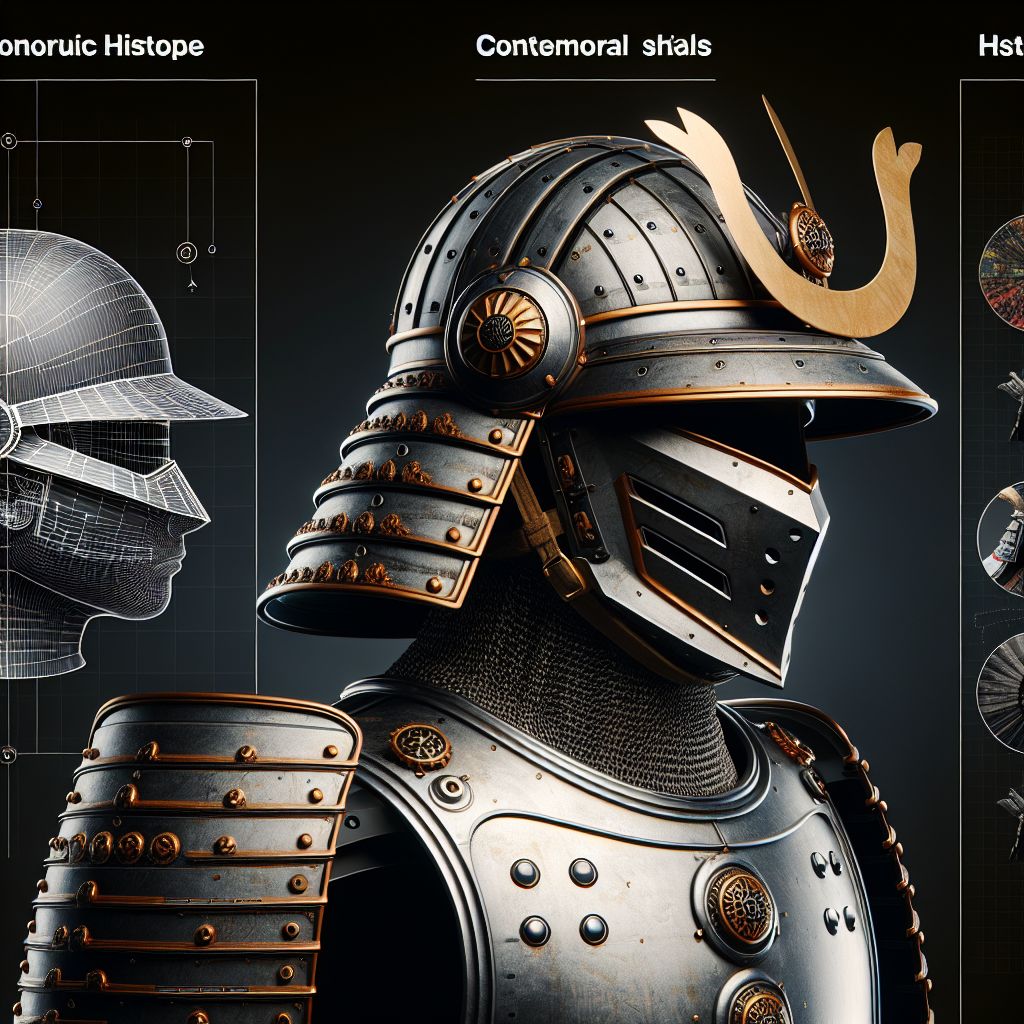
By combining historical accuracy with contemporary creativity, you can create a distinctive and captivating cosplay helmet that respects history while looking forward to the future.
Getting Your 3D Model Ready for Printing
Designing your 3D model is just the first step in your cosplay helmet adventure. To make your design a reality, you’ll need to get it ready for 3D printing. This means getting your model ready to make sure it prints correctly and efficiently so you end up with a high-quality final product.
It’s important to optimize because it can save you time, materials, and frustration. By following these techniques, you can make the printing process more efficient and get professional results.
Top-notch Slicing Approaches for Helmet Designs
Slicing is the act of turning your 3D design into a sequence of layers that the printer can interpret. It is a crucial phase in making sure your design prints correctly. Top-notch slicing approaches can improve the quality and efficiency of your print.
Here are some suggestions for slicing effectively:
-
Choose the right layer height: Smaller layers result in smoother surfaces but increase print time. Balance quality and speed based on your project’s needs.
-
Use adaptive layer heights: Some slicing software allows for variable layer heights, which can optimize detail in specific areas while saving time elsewhere.
-
Set proper infill density: Adjust the infill to provide structural support without wasting material. Denser infill can strengthen key areas of your helmet.
“Experiment with different slicing settings to find the perfect balance between quality and efficiency for your specific model.”
By refining your slicing strategy, you can achieve a high-quality print that accurately reflects your original design.
Making the Most of Your Support Structures in Complicated Designs
Think of support structures as temporary frameworks that keep the parts of your model that hang over the edge in place while you print. If you can optimize these supports, you can improve your print quality and cut down on the time you spend processing after the fact.
Think about these tactics:
-
Try tree supports: This type of support, which resembles a tree, provides stability with minimal contact to your model, which reduces marks.
-
Change support density: Boost support density in areas that need more stability but lower it in other areas to save on material.
-
Play around with support angles: Supports at an angle can provide better stability and make removal easier.
Getting your supports right means your helmet will print correctly, and you won’t have to spend a lot of time on post-processing.
Finishing Touches for Pro-Level Cosplay Helmets
The last step in making a pro-level cosplay helmet is post-processing. This is where you fine-tune the printed model to make it look and work better.
Consider these techniques:
Here are some steps to make your cosplay helmet look more realistic:
-
Sanding: Use sandpaper or sanding sponges to smooth out rough surfaces and layer lines. Start with a coarse grit and gradually move to finer grits for a polished finish.
-
Priming and painting: Apply a primer to prepare the surface for painting. Choose paints that match your design and apply multiple coats for vibrant colors.
-
Weathering: Add realistic wear and tear to your helmet using techniques like dry brushing or washes. For more detailed methods, explore our guide on weathering techniques.
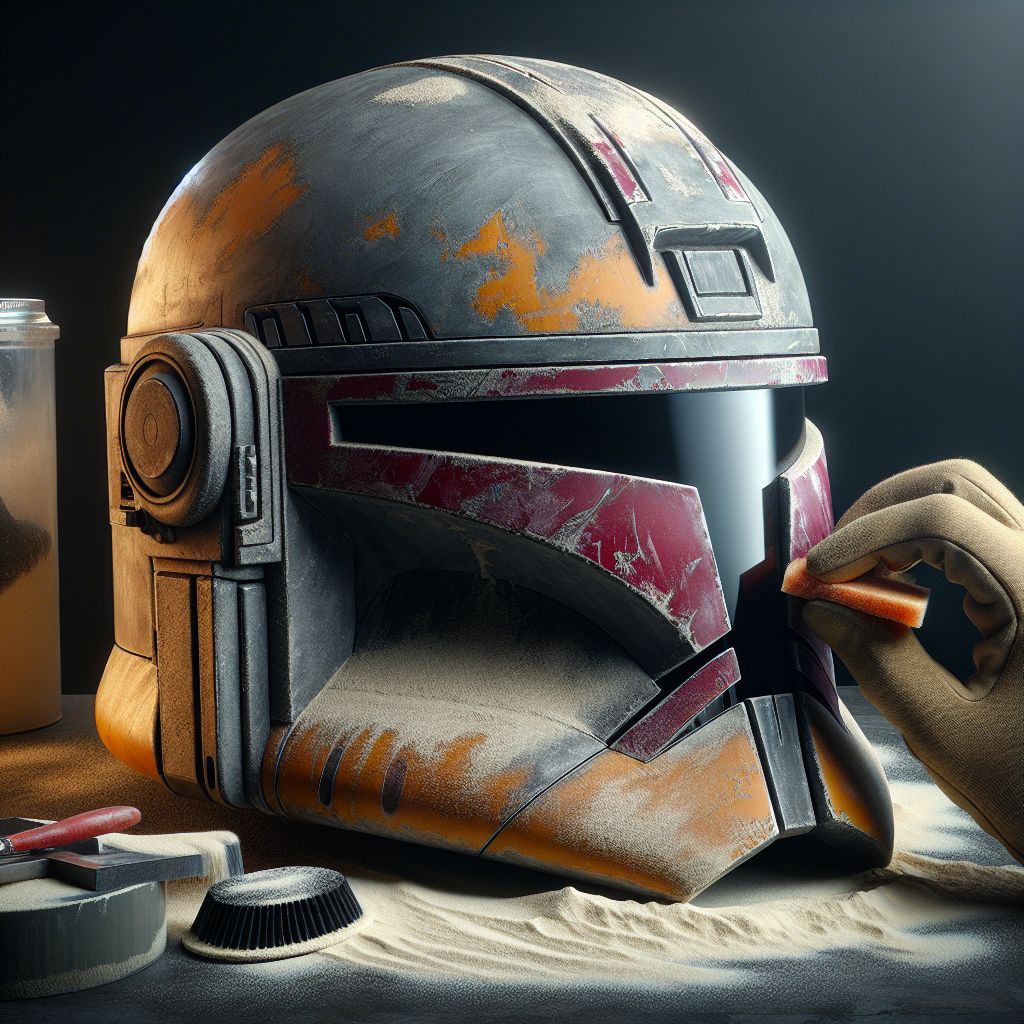
By putting in the time to post-process, you can turn a raw print into a stunning, finished cosplay helmet.
Final Thoughts and What’s Next
There’s nothing quite like the satisfaction of crafting a cosplay helmet using sophisticated 3D modeling techniques. It’s a beautiful blend of artistry and technical know-how. Master these techniques, and you can create a lifelike representation of your favorite characters that’s both precise and breathtaking to look at.
While you keep going, don’t forget to play around and perfect your method. Every project is a chance to learn and get better, so take on the obstacles and cheer for your victories.
Join the cosplay community by sharing your creations. Inspire others with your work and connect with fellow enthusiasts by using the hashtag #Cosplay3DPrint to showcase your helmets.
Questions You Might Have
When you’re working on cosplay helmets, you might have a few questions. We’ve answered some of the most common ones here to help you with your projects.
Which software should I use to model cosplay helmets?
There’s no one-size-fits-all answer to this question, as it really depends on what you’re looking for and how experienced you are. If you’re just starting out, Blender is a great free option that can do a lot. If you need to make precise, engineering-style models, Fusion 360 is a good choice. If you’re making something with a lot of organic shapes and want to do detailed sculpting, ZBrush is the way to go. Think about what you need for your project and pick the one that suits you best.
How can I make sure my helmet fits right after 3D printing it?
Before you even start designing your helmet, measure your head accurately. You can use these measurements to scale your 3D model correctly. You should also consider printing a test piece or a prototype to check the fit before you go ahead and print the final product.
What should I expect to spend on 3D modeling and printing helmets?
Expenses can fluctuate depending on a few key things:
-
Software: There are a lot of 3D modeling programs that are free of charge, but some may require a subscription.
-
Materials: The cost of filament can range from $20 to $50 per kilogram, depending on the type and quality.
-
Printing: The cost of printing will depend on the size and complexity of your model, as well as how efficient your printer is.
-
Post-processing: The cost of paints, primers, and other finishing materials will add to the overall cost.
Plan your budget accordingly and keep these factors in mind when planning your project.
As we wrap up, the following grid provides a structured overview of the key concepts discussed in this post. Use it as a quick reference to reinforce your understanding and explore the connections between the main ideas:
-


Leave a Reply