
🛠️ Welcome to Our Guide on Assembling 3D-Printed Cosplay Helmets! 🎭
In this comprehensive guide, we’ll take you through the intricate process of assembling multi-part 3D-printed helmets. Our goal is to help you ensure a proper fit and achieve professional-looking results. Whether you’re a beginner or an experienced cosplayer, you’ll discover valuable techniques to elevate your helmet projects.
🔍 Understanding the Basics
Before we begin, let’s talk about 3D printing and what it really means for us cosplayers. This technology has changed the game for us—making things faster, cleaner, and much more precise than traditional handcrafting. Imagine trying to get both sides of a helmet perfectly symmetrical by hand! However, 3D printing isn’t as simple as hitting “print” and walking away. While it has revolutionized how we make our costumes, there’s still quite a bit of work involved, especially when creating larger pieces like helmets. Most home 3D printers can only print up to a certain size. That’s why, when making something as large as a helmet, we usually need to print it in several pieces—think of it like assembling a 3D puzzle. It might sound daunting at first, but don’t worry; I’ll walk you through everything you need to know.
📋 Summary
- Workspace: Always begin with a tidy workspace and arrange your tools for efficiency.
- Layer Height: Use a layer height of 0.2mm or lower for smoother surfaces on your helmet parts.
- Test-Fitting: Test-fit all pieces before gluing to ensure proper alignment and fit.
- Padding: Use EVA foam or memory foam for comfortable padding inside your helmet.
- Documentation: Document your process with photos for future reference and troubleshooting.
🚀 Getting Started
Making a 3D-printed cosplay helmet is an exciting adventure that combines creativity, technical skill, and a bit of patience. When assembled correctly, a helmet enhances your costume’s authenticity and ensures comfort and durability throughout the event. To achieve this, you’ll need to pay attention to detail and follow a systematic assembly process.
As the cosplay community often says, “Patience is the companion of creativity.”

🧰 Essential Tools and Materials Checklist
Here’s an essential checklist to ensure you have all the necessary tools and materials for a successful 3D-printed cosplay helmet assembly project:
|
Category |
Item |
Purpose |
|---|---|---|
|
Tools |
Digital caliper |
Measuring gaps and alignments |
|
Heat gun or soldering iron |
Heat welding |
|
|
Sandpaper (120, 220, 400 grit) |
Smoothing surfaces |
|
|
Clamps or holding fixtures |
Securing parts during assembly |
|
|
Safety equipment (gloves, safety glasses, respirator) |
Personal protection |
|
|
Precision knife |
Trimming and detailing |
|
|
Alignment pins |
Ensuring proper part alignment |
|
|
Measuring tape |
General measurements |
|
|
Materials |
Selected adhesive |
Bonding parts (based on filament type) |
|
Body filler |
Smoothing seams and imperfections |
|
|
EVA foam |
Internal padding for comfort |
|
|
Velcro strips |
Adjustable fitting |
|
|
Straps and buckles |
Secure helmet attachment |
|
|
Primer |
Preparing surface for painting |
|
|
Paint |
Final finish and color |
⚠️ Safety Precautions During Assembly
Your safety is a top priority while crafting your 3D-printed helmet! Follow these essential precautions to ensure a safe and enjoyable assembly experience:
|
Precaution |
Why It’s Important |
|---|---|
|
🌬️ Work in a well-ventilated area |
To avoid inhaling harmful fumes |
|
🧤 Wear protective gloves |
To protect your skin from adhesives |
|
👓 Use safety glasses |
To shield your eyes during sanding and cutting |
|
😷 Wear a respirator |
When working with fillers or paints |
|
🩹 Keep a first aid kit nearby |
For quick access in case of accidents |
|
💨 Ensure proper ventilation for heat welding |
To prevent fume buildup |
|
🔥 Keep fire safety equipment accessible |
In case of emergencies |
🛡️ Stay Safe and Have Fun! By following these safety precautions, you’ll create a safer workspace and enjoy your helmet-making adventure to the fullest!
🏗️ Getting Your Materials and Workspace Ready
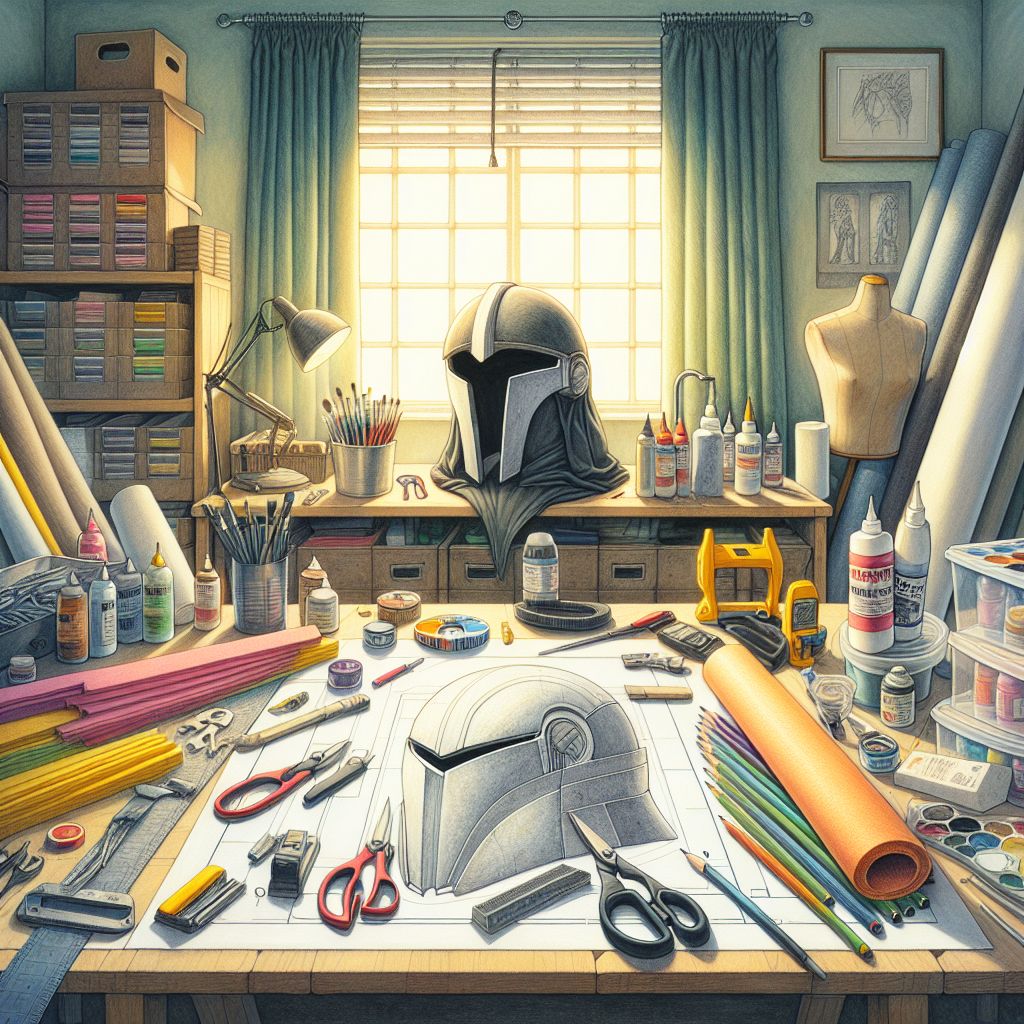
Before you start assembling your cosplay helmet, ensure you have all the necessary tools and materials ready. A clean, well-lit workspace will help you work efficiently and avoid mistakes.
🖨️ Printing Settings
To ensure a top-notch finish on your helmet parts, here are some recommended 3D printer settings:
- Layer Height: 0.2mm or lower for smooth surfaces.
- Infill: 15-20% for stability without excessive weight.
- Wall Thickness: Minimum of 1.2mm for durability.
- Support Settings: 45-degree overhangs to ensure clean edges.
- Optimal Layer Adhesion: Adjust settings based on your specific filament type.
🔧 Pre-Assembly Preparation
Once your parts are printed, inspect them for defects. Carefully remove any support materials and sand the joining surfaces to improve adhesion. Test-fit all pieces before applying adhesive to ensure alignment. Mark alignment points with removable tape to guide you during assembly and take photos at each step to keep track of your progress and aid in troubleshooting.
🧪 Pre-Assembly Testing Improved Fitting Test Procedure
Before you proceed with the final assembly, carefully test and fit all components to spot and fix any potential issues:
- Assemble Parts: Start by assembling all parts without glue, using clips or tape to hold them together.
- Check for Gaps: Use feeler gauges to check for gaps between parts and mark areas needing adjustment.
- Ensure Size and Shape: Compare the overall size and shape of the helmet to your head and adjust if necessary.
🔨 Step-by-Step Assembly Guide
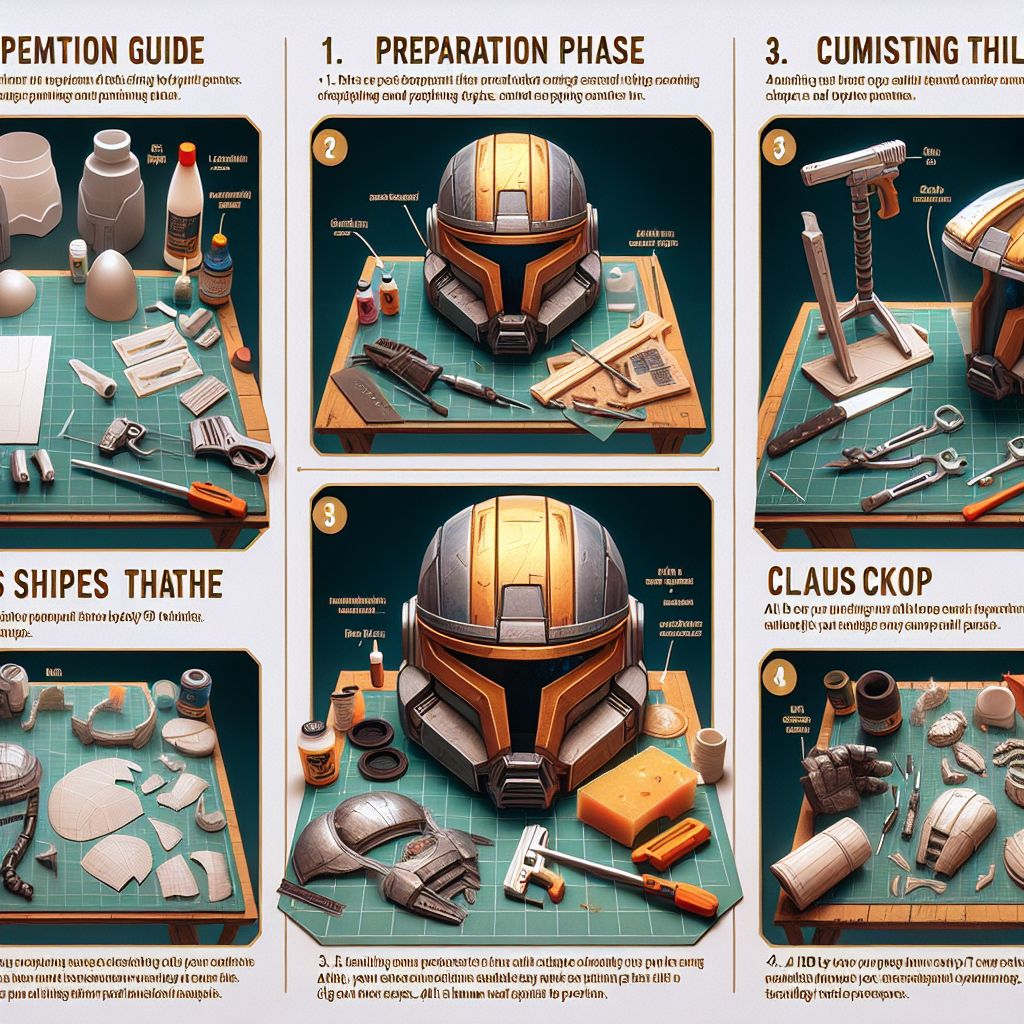
Step 1: Print Your Parts
- Print Time: Print all helmet components. This may take several hours or even days depending on the design complexity.
- Organization: Keep track of all parts and organize them.
Step 2: Prepare Your Parts
- Sanding: Once all parts are printed, sand down rough edges.
- Cleaning: Remove support structures and clean parts to eliminate any residual filament or dust.
Step 3: Assemble Your Helmet
- Gluing: Begin assembling by gluing parts together using super glue or plastic cement. Follow the specific helmet design instructions, as the assembly process may vary.
Step 4: Finish Your Helmet
- Finishing Touches: After assembly, finish your helmet by painting, adding decals, or applying a clear coat for protection.
Assembly Summary Table
|
Step |
Description |
|---|---|
|
1. Print Your Parts |
Print all helmet components; this may take hours or days. Keep parts organized. |
|
2. Prepare Your Parts |
Sand rough edges, remove support structures, and clean parts. |
|
3. Assemble Your Helmet |
Glue parts together using super glue or plastic cement. |
|
4. Finish Your Helmet |
Paint, add decals, and apply a clear coat for protection. |
And there you have it! With a little patience and careful attention to detail, you can create your own 3D-printed cosplay helmet. Happy printing!
⏰ Estimated Time Requirements
Ready to dive into your 3D-printed DIY Mandalorian helmet project? Here’s a handy timeline to help you plan your adventure:
|
Task |
Estimated Time |
|---|---|
|
🛠️ Part Preparation |
1-2 hours |
|
🔍 Test Fitting |
30-45 minutes |
|
🔗 Assembly with Adhesives |
1-2 hours |
|
🛡️ Padding Installation |
30 minutes |
|
🎨 Final Finishing |
2-3 hours |
|
🌟 Total Project Time |
5-8 hours (not including curing time) |
🖨️ Note: This timeline excludes printing time, which can take hours or days depending on your design.
🧩 Putting it Together
Picking the right way to assemble your helmet is essential for ensuring it’s sturdy and long-lasting. The method you choose will depend on the type of filament used and your specific design needs.
🧪 Choosing the Right Adhesive
Different types of filaments require specific adhesives for the best bond. Here’s a quick guide to help you choose, especially if you’re working on 3D-printed DIY Mandalorian helmets:
|
Filament Type |
Recommended Adhesive |
Characteristics |
|---|---|---|
|
PLA |
CA glue or epoxy |
Strong adhesion |
|
ABS |
ABS slurry or cement |
Best bonding option |
|
PETG |
Two-part epoxy |
Strong, reliable bond |
|
TPU |
Specialized flexible adhesives |
Maintains flexibility |
⏳ Adhesive Curing Times
When using adhesives, consider their curing times:
|
Adhesive Type |
Initial Set Time |
Full Cure Time |
|---|---|---|
|
CA (Super) Glue |
30 seconds |
24 hours |
|
Two-Part Epoxy |
5 minutes |
24 hours |
|
ABS Cement |
2 minutes |
12 hours |
|
Plastic Welding |
Immediate bond |
5-10 minutes (cooling time) |
Keep these curing times in mind when planning your assembly process; full strength is achieved only after complete curing.
🔥 Heat Welding
Heat welding is an effective method for joining 3D-printed parts, especially if you’re working with thermoplastics. Here’s how to do it:
- Temperature Control: Use a temperature-controlled soldering iron or heat gun to melt and fuse the edges of the pieces together.
- Safety First: Work in a well-ventilated area to avoid inhaling fumes.
- Practice: Test on scrap pieces to refine your technique.
Heat Welding Specifications
|
Filament Type |
Temperature Range |
Maximum Gap |
Optimal Tolerance |
Alignment Pin Diameter |
|---|---|---|---|---|
|
PLA |
170-180°C (338-356°F) |
0.2mm |
0.1mm |
3-4mm |
|
ABS |
210-220°C (410-428°F) |
0.2mm |
0.1mm |
3-4mm |
|
PETG |
190-200°C (374-392°F) |
0.2mm |
0.1mm |
3-4mm |
Aim for a gap tolerance of 0.1mm between parts, with a maximum acceptable gap of 0.2mm. Use alignment pins with a diameter of 3-4mm to help position the parts correctly during assembly.
🔩 Using Mechanical Fasteners
Mechanical fasteners are a great choice when you need to make parts of the helmet removable or if you want to add extra strength to certain areas. Here’s how to effectively implement them:
- Fasteners: Use M3 or M4 bolts to secure sections.
- Heat-Set Inserts: Consider using heat-set inserts for stronger connections.
- Hidden Snap Fixtures: Utilize hidden snap fixtures for areas that need to be easily accessible without compromising the helmet’s look.
- Reinforcement: Strengthen areas under stress by adding additional layers or metal brackets as needed.

🛋️ Ensuring Comfort in Your Helmet
Let’s dive into making your multi-part 3D-printed helmet as comfortable as possible. After all, what good is looking like a warrior if your helmet feels uncomfortable?
🧵 Strategic Padding Integration
When working with multiple printed parts, padding placement becomes crucial for both comfort and structural integrity. Here’s your battle plan:
- Positioning: Place padding 1/2 inch away from joining seams.
- Velcro Attachments: Use Velcro for easy access to part connections.
- Bridge Padding: Create “bridge padding” across seams for even pressure distribution.
- Testing: Test fit padding before final assembly to avoid stress on joints.
Recommended Padding Chart
|
Section |
Recommended Padding |
Purpose |
|---|---|---|
|
Crown |
Memory Foam |
Weight distribution |
|
Sides |
EVA Foam |
Structural support |
|
Front |
Gel Inserts |
Pressure point relief |
💨 Ventilation Solutions
Keeping cool is crucial for comfort, but don’t compromise your helmet’s structure! Here’s how to integrate ventilation in multi-part builds:
- Vent Locations: Plan vent placements away from critical joining points.
- Reinforcement: Reinforce areas around vents that cross part seams.
- Mesh Covers: Use mesh covers for seamless integration.
- Airflow Testing: Test airflow patterns before final assembly.
🔒 Secure Strap Integration
Your straps need to be reliable for multi-part helmets; here’s how to ensure that:
- Reinforcement: Reinforce strap mounting points across seams.
- Anchor Points: Install anchor points before joining sections.
- Backing Plates: Use backing plates for added strength.
- Weight Distribution: Plan strap placement for even weight distribution.
Remember to test for proper weight distribution before final assembly—aim for comfort and stability!

🧪 Testing and Adjusting Multi-Part Fit
Before final assembly:
- Dry-Fit: Assemble all sections without adhesive.
- Mark Points: Mark alignment points to ensure precision.
- Range of Motion: Test range of motion for comfort.
- Pressure Points: Check for any pressure points.
- Ventilation Effectiveness: Verify airflow within the helmet.
🏁 Final Inspection Checklist
Before declaring your helmet battle-ready, conduct a comprehensive final inspection to ensure quality:
|
Checklist Item |
Status |
|---|---|
|
Seams are correctly lined up |
✅ Yes / ❌ No |
|
No noticeable gaps between the pieces |
✅ Yes / ❌ No |
|
Straps are securely attached |
✅ Yes / ❌ No |
|
Adequate airflow |
✅ Yes / ❌ No |
|
Padding is comfortable |
✅ Yes / ❌ No |
|
The field of vision is unobstructed |
✅ Yes / ❌ No |
|
Weight is evenly distributed |
✅ Yes / ❌ No |
|
The surface finish is smooth |
✅ Yes / ❌ No |
🧼 Preservation Instructions
To extend the life of your cosplay helmet, frequent upkeep is vital. Here are some suggestions to maintain it in prime condition:
- Storage: Keep it in a cool, dry area to avoid warping or damage.
- Helmet Stand: When not in use, place it on a helmet stand to maintain its shape.
- Cleaning: Clean it with the right solutions to remove dirt and grime.
- Inspection: Regularly inspect the joints for wear or damage.
- Padding Replacement: Replace padding as necessary to maintain comfort.
Material Combinations Guide for 3D Printed Cosplay Helmets
Choosing the right material and adhesive combination is vital for strong and durable helmet assembly. Here’s a guide to help you select the appropriate combinations:
|
Base Material |
🟢 Compatible With |
🔴 Not Compatible With |
🛠️ Best Joining Method |
|---|---|---|---|
|
PLA |
• PETG |
• ABS |
• CA glue |
|
ABS |
• ABS |
• PLA |
• ABS cement |
|
PETG |
• PLA |
• ABS |
• Two-part epoxy |
💡 Pro Tips:
- Always test adhesion on scrap pieces first.
- Consider material properties when selecting joining methods.
- Ensure proper surface preparation for the strongest bonds.
Troubleshooting Common Assembly Issues
When assembling your 3D-printed cosplay helmet, you may encounter several common problems. Below are the issues you might face, their causes, and practical solutions to help keep your project on track.
|
Problem |
Cause |
Solution |
Prevention Tip |
|---|---|---|---|
|
Gaps Between Parts |
Misalignment or warping |
Use appropriate fillers to seal spaces at joints. |
Ensure proper printer calibration and handling. |
|
Weak Joints |
Insufficient adhesive |
Strengthen with extra adhesive or brackets. |
Test adhesive compatibility before full assembly. |
|
Bad Fit |
Incorrect padding or strap placement |
Adjust padding thickness or reposition straps. |
Test-fit all components before final assembly. |
|
Condensation |
Poor ventilation |
Enhance airflow with additional vents or fans. |
Design vents away from critical joints during printing. |
|
Uneven Weight |
Imbalanced padding |
Reallocate padding to equalize weight distribution. |
Plan padding placement during initial design stages. |
With these troubleshooting tips, you can effectively tackle common issues and ensure a smoother assembly process for your cosplay helmet. Happy building! 🎨
Preservation Instructions
To extend the life of your cosplay helmet, frequent upkeep is essential. Here are some suggestions to maintain it in prime condition:
- Storage: Keep it in a cool, dry area to avoid warping or damage.
- Helmet Stand: When not in use, place it on a helmet stand to maintain its shape.
- Cleaning: Use appropriate cleaning solutions to effectively remove dirt and grime.
- Inspection: Regularly inspect the joints for wear or damage.
- Padding Replacement: Replace the padding as necessary to ensure ongoing comfort and fit.
Expert Tips and Community
As you continue your cosplay journey, consider these additional tips to enhance your experience:
- Documentation: Document your process with photos to create a valuable reference library for future projects.
- Community Engagement: Join online cosplay communities for support, ideas, and inspiration.
- Create Templates: Design templates for future projects to streamline your workflow.
- Spare Materials: Keep extra materials on hand for any necessary repairs or modifications.
- Comfort Testing: Test-wear the helmet for extended periods to ensure comfort and durability.
Conclusion
By following these detailed guidelines, you’ll be well-equipped to create a stunning and comfortable 3D-printed cosplay helmet. Remember, patience and attention to detail are your greatest allies in this creative endeavor. Each step brings you closer to a masterpiece that reflects your dedication and passion for cosplay. Wearing your creation at conventions and events will not only make you stand out in the crowd, but it will also inspire others to start their own cosplay journeys. So take your time, enjoy the process, and let your creativity shine through every detail of your helmet.
Share Your Experience
We hope this guide has inspired you to create your own unique cosplay helmets. Share your experiences, ask questions, and post photos of your completed helmets on social media using #Cosplay3DPrint. If you found this guide helpful, please share it with your friends and fellow cosplayers. Subscribe to our newsletter for more tutorials and tips. Thank you for being a part of our creative community. Keep crafting and having fun! 🎉


Leave a Reply